


116 Useful CSS3 Tutorials Examples and Tricks for Designer
As a web designer learning about css3 tutorials, examples and tricks are very useful to improve know on css3 style. Today i collected beautiful style design of CSS3 tutorials, examples that available for demo view and download such Text Effects and Layout, CSS3 Animated, CSS3 3D Text, Pure CSS, CSS drop-shadows, CSS image replacement, css background, css rounded corners, border radius, box shadow,css3 inner shadow, css drop shadow, css3 drop shadow and CSS3 slider/slideshow. CSS 3 are going to be very interesting. It will allow the designer/developer to select on much more specific levels of the document. One of the nice things about this module is that many browsers are already starting to support the advance CSS 3 selectors, so you can start trying them out now. You can find out more 40 Useful HTML5 Lessons, Tutorial for Learning HTML5. CSS3 Tutorials has brought about a number of aesthetically impressive new features. Perhaps the most fun of these to play with is CSS animation, which allows you to perform many motion-based functions normally delegated to JavaScript. Join me on my epic quest to discover the coolest, most innovative, and more importantly, nerdiest use of CSS3 and HTML5 animation on the web. Begin!
CSS3 Working Clock
Working CSS3 analog clock, using CSS animations and shapes, without any images or JavaScript.
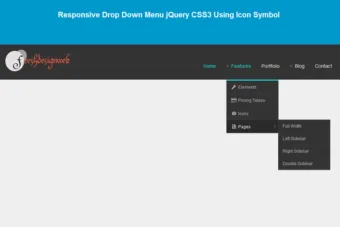
Also read: 54 Beautiful HTML CSS Button Style, 33 Best HTML5 and CSS3 3D Demo Examples, Free Responsive Drop Down Menu jQuery CSS3 Using Icon Symbol

CSS3 UISwitch Example
A pretty sweet and pure CSS3 iOS 7 UISwitch.

CSS3 Timeline

CSS3 Neon Glow
CSS3 style text effect on mouse over.

CSS3 Thermometer

Javascript and CSS3 Calculator

CSS3 Wristwatch

Element CSS Loading

Stylish CSS3 progress bars

Windows-8-like Animations with CSS3 and jQuery

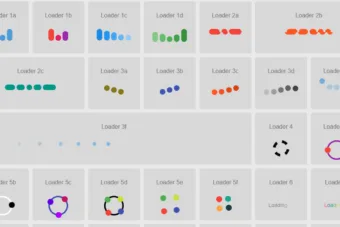
Creating a Collection of CSS3 Animated Pre-loaders
Pre-loaders are a common sight in modern web design. As users it expect the web to be fast and fluid – it don’t like waiting for things. Pre-loaders offer visual feedback in the event of content being loaded, thereby managing expectations and reducing the chance of a user abandoning your website.

Slideup Boxes
This is using CSS3 transitions and transforms, so browser compatibility should be something like: Safari 3+, Firefox 4+, Opera 10+, Chrome Whatever+

Easy CSS3 & jQuery tooltips

How to Make a Digital Clock with jQuery and CSS3

CSS3 Animated Bubble Buttons
Learn how to create a useful set of animated buttons with the power of CSS3′s multiple backgrounds and animations. With this button pack, you can easily turn any link on your page into an animated button by just assigning a class name. No JavaScript necessary.

Animated CSS3 starbursts
If you create your starbursts with CSS3 you can do so much more than with images. Below are a few more demos where I’ve experimented with different numbers of points, rounded borders, text-shadows, animations with transitions and transforms, and also translations. To see the animations you will need to use Safari or Google Chrome.

CSS3 3D Text
CSS3D creates a stereoscopic 3D effect with CSS3 only. First I just create this red and cyan effect because I thought it looks cool. But then I got some 3D glasses and is shocked that it actually works. Basically you just need one line of CSS. A text-shadow with a red and cyan offset.

Text-Shadow Converter Tools
text-shadow is include in CSS2, removed from CSS2.1 and returns in CSS3. It has been supported in Safari since version 1.1, and is supported in Chrome, Firefox 3.5 and Opera 10.
CSS Shadows take three length values, and a color. The length values are a horizontal offset, a vertical offset and a blur. Offsets may be negative or positive

Pure CSS speech bubbles
Speech bubbles are a popular effect but many tutorials rely on presentational HTML or JavaScript. This tutorial contains various forms of speech bubble effect create with CSS 2.1 and enhanced with CSS3. No images, no JavaScript and it can applied to your existing semantic HTML.

Turn Images Polaroids with CSS3
In this playground adventure, it use some awesome CSS2 and CSS3 to turn an otherwise unassuming list of images into a full-blown set of polaroid pictures. Check out the demo and code snippets below

Pure CSS folded-corner effect
Create a simple CSS folded-corner effect without images or extra markup. It works well in all modern browsers and is best suited to designs with simple colour backgrounds.

CSS drop-shadows without images
Drop-shadows are easy enough to create using pseudo-elements. It’s a nice and nice way to progressively enhance a design. This post is a summary of the technique and some of the possible appearances.

Pure CSS GUI icons (experimental)
An experiment that uses pseudo-elements to create 84 simple GUI icons using CSS and semantic HTML. Shared as an exercise in creative problem solving and working within constraints. This is not a “production ready” CSS icon set.

CSS pseudo-element Solar System using semantic HTML
This is a complete reworking of another author’s basic reproduction of the classic model of our solar system using CSS. By using pseudo-elements (again) I wanted to reproduce as much as possible without presentational HTML and JavaScript. In addition, by hooking into HTML microdata I’ve put together a rough scale model of the solar system that demonstrates some further uses of CSS generated content.

Pure CSS social media icons (no images)
This is an experiment that creates social media icons using CSS and semantic HTML. It uses progressive enhancement to turn an unordered list of text links into a set of icons without the use of images or JavaScript.

CSS typography experiment
This is a quick experiment that reproduces an image from I Love Typography using nothing more than simple semantic HTML, CSS 2.1, and modern browser implementations of a couple of CSS3 properties. Along the way a few new modern browser bugs and inconsistencies were exposed.

CSS3 box-shadow rolled corners
Rolled corners are popular. Dimension is in. The CSS3 box-shadow property isn’t entirely flexible enough to really create the effect (masked shadows please!) but with a couple layers it can approximated in some browsers within limits. Looking good in Firefox and Safari. Not so much in Chrome.

Super Cool CSS3 Flip Effect with Webkit Animation
There’s some seriously cool transform and animation effects available through the webkit engine that can really spice up the web experiences for users with the Safari browser. Here’s a quick look at how the rotateY property can produce a flip effect, and how it can use to create a super cool Transformers theme top trumps design.

CSS menu using CSS Sprites
Here I am presenting a cool overlapped pure CSS menu create using CSS sprites. This is an initial draft version, so far I have checked it only in Firefox 3.5, IE 7, Chrome 3.0 & Opera 9.02 and it looks fine. If anyone of you finds any issues in any other browsers, please lemme know.
Feature Table Design
I ran into the feature table design from Shopify over on Pattern Tap and I is like DAMN SHOPIFY, that is one sexy table. I is inspired to try and replicate it. First in Photoshop, then in HTML/CSS.Recreating cool stuff you find on the web is definitely an excise I recommend (a few days after, I read this – couldn’t agree more). As these exercises typically do, it lead me down some interesting paths.

Transparent Borders with background-clip
Have you ever seen an element on a page with transparent borders? I think Facebook originally popularized it giving birth to lightbox plugins like Facebox. I don’t think Facebook sports the look anymore, but it’s still rather neat.

Nice 3D Ribbons Only Using CSS3
There are some properties of the CSS3 languages that can help us to accomplish this mission.
We will use box-shadow to create a drop-shadow with RGBa, a color model that allows an optimize contrast with any kind of backgrounds.

Awesome Overlays
The trick with these overlays is the gradient border, going form a lighter to darker orange as you go from top to bottom. To create that effect it used to the border-image property, which is a tricky little addition to CSS.

Making an Impressive Product Showcase with CSS3

CSS3 Button Maker

Annotation Overlay Effect with CSS3

Fluid CSS3 Slideshow with Parallax Effect

Animated Content Tabs with CSS3

Login and Registration Form with HTML5 and CSS3

Accordion with CSS3

Page Transitions with CSS3

Sliding Image Panels with CSS3

Animated Web Banners With CSS3

Filter Functionality with CSS3

Thumbnail Proximity Effect with jQuery and CSS3

Fullscreen Background Image Slideshow with CSS3

CSS3 Lightbox

Slopy Elements with CSS3

Splash and Coming Soon Page Effects with CSS3

Typography Effects with CSS3 and jQuery

Animated Buttons with CSS3

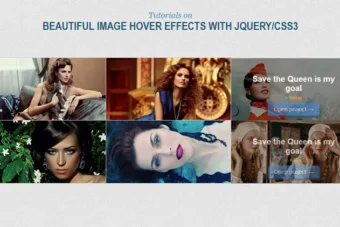
Original Hover Effects with CSS3

Creative CSS3 Animation Menus

Blur Menu with CSS3 Transitions

Circle Navigation Effect with CSS3

Editable CSS3 Image Gallery

CSS3 Slideup Boxes

Shiny Knob Control with jQuery and CSS3

Having Fun With CSS3: Spinning Newspapers

Making Better Select Elements with jQuery and CSS3

Responsive Design with CSS3 Media Queries

CSS3 Loading Animation Loop 2 Set

CSS3 Hover Effects

CSS3 Loading Animation

CSS3 Loading Animation Loop

CSS3 with jQuery / Reverse Animation

CSS3 Tooltip with Animation NO jQuery

CSS3 Digital Clock with jQuery

CSS3 Navigation with Transitions

Creating a polaroid photo viewer with CSS3 and jQuery

Colourful rating system with CSS3 and jQuery quickie

3d animation using pure CSS3

CSS3 animations and their jQuery equivalents

CSS3 quickie: The Facebook loading animation

Sweet tabbed navigation using CSS3

Pure CSS3 bokeh effect with some jQuery help

Responsive Banner Ads with HTML5 and CSS3

Awesome Cufonized Fly-out Menu with jQuery and CSS3

CSS3 Minimalistic Navigation Menu

BounceBox Notification Plugin With jQuery & CSS3

Orman Clark’s Vertical Navigation Menu: The CSS3 Version

How to Create Link Tooltips Using CSS3 and JQuery

Create a Swish CSS3 Folded Ribbon

Navigation Bar with Pure HTML/CSS3

Quick Tip: Create Pure CSS3 Ticket-Like Tags

CSS3 Transitions And Transforms From Scratch

Quickly Build a Swish Teaser Page With CSS3

Perfectly Rotate and Mask Thumbnails With CSS3

CSS3 Hovering Tooltips

How to Create a CSS3 Wheel Menu

Bring Your Forms Up to Date With CSS3 and HTML5 Validation

Extreme Makeover: jPaginator CSS3 Edition

Chunky 3D Web Buttons: The CSS3 Version

Google Play’s minimal tabs with CSS3 & jQuery

CSS3 loading animation experiment

Fancy FAQ page using CSS3 only

CSS3 ordered list styles

Awesome CSS3 animated header

Image map with CSS3 & jQuery tooltips

Practical CSS3 tables with rounded corners

Design a beautiful CSS3 search form

Cool notification messages with CSS3 & jQuery

Pure CSS3 accordion

How to create a cool and usable CSS3 search box

Multi-column text using CSS3

Old School Clock with CSS3 and jQuery

Pretty Simple Content Slider with jQuery and CSS3

Contextual Slideout Tips With jQuery & CSS3

How to Create a CSS3 Ajax Loading Icon Without Images

How To Create a Stylish Drop Cap Effect with CSS3

Radioactive Buttons

Animated CSS3 Gradients





Great stuff guys! It’s like a heaven….! Thanks for having such a great stuff
Really amazing. Great work buddy
Wonderful job.very helpful.
Thanks for this useful information. Really wonderful collection of css3 techniques.
Wow! Great comprehensive list of cool stuff you can do with CSS.
Amazing !!! Thanx ………
very nice… Example
awesome as always
Very useful, thanks ! S
The next level search also works in Chrome & chrome canary, Great work!
Simply great and most useful!
Thanks a lot!
This is great, thanks so much! 🙂
Wow! I can’t say enough, but to keep up the Awesome work!
WOW!. excellent works. really amazing!.
wow..:) awesome examples..thanx
Very nice examples. Thanks.
thanks you so much.. Great
[…] 30 Useful Example CSS3 Style (Really Useful CSS) […]
Thank you so much buddy. You save me awsome lot of time searching for these in the web individiaually.
Nice collection. thank you so much 🙂
G8 Friend very nice list 4. CSS3 Animated Bubble Buttons that’s amazing
thanks for this cool and great blog. This blog very helpful for website designers like us.
thanks again
gr8….friend………….nice all the thing really awesome…………
Realy cool. Thank u!
its awesom yar………….thnks
You’ve done with CSS things I thought only possible with HTML 5. Wow. Thanks for the examples.
Hello Graham
Thank you for sharing these interesting CSS3 posts.
The only problem that occurs with using CSS3 is that a number of browsers do not support it, especially IE which could cause problems. After reading this post, I will look at using CSS3 a lot more within my development. Number 4 is very interesting, as I haven’t seen animated buttons before. This is something that I am interesting in looking into and will see how this can be incorporated in the future. Another useful point which I came across was http://www.css3maker.com/. This is a very useful website, giving you the ability to generate the correct code for the required effect much easier.
Absolutely awesome!!
Thank you so much for sharing!
thanks you so much..
Great Collection.
I wish I could get hold of the codes of the “Overlays” so that I could practice them.
Thanks for sharing.
Nice and useful! Thank you!!! 😉
thanks…
really useful
Great Find!!!!!! Thanks!
very useful list
30 Useful Example CSS3 Style (Really Useful CSS)
30 Useful Example CSS3 Style (Really Useful CSS)
Great roundup of some awesome CSS hacks youve gathered here .
Thank you for your efforts 🙂
*#27 : Nice 3D Ribbons Only Using CSS3 is a broken link *
That’s great examples! Thank you very much! I’am already start using it on my website.